Free AI Tools for Web Development: What to Use, and Make It Findable After
A practical guide to free AI tools for web development by category, plus what AI search optimization (GEO/AEO) means for making your finished site findable.

Open ten tabs for "free AI tools for web development" and you'll find the same handful of names recycled into every listicle, half of them already changed their pricing since the post was written. The real question isn't which tools are free today, because that changes constantly. It's which categories of free AI tooling are worth your time, and what to do once your site is actually live.
Building fast with AI is only half the job. The other half is making sure humans and AI answer engines can actually find what you built.
Key Takeaways (the short version)
- Free AI tools for web development cluster into a few real categories: code generation, design, content, and debugging.
- "Free" almost always means a capped tier, so check current limits before you build a workflow around one.
- AI search optimization is the newer name for making your site visible inside AI answers, not just blue links, though it helps to know what AI search optimization tools actually measure before trusting any single score.
- You'll also see it called generative engine optimization (GEO) or AI engine optimization (AEO), same idea, different label.
- The tools that write your code won't make that code findable; schema, structure, and a solid crawler policy do that work.
What actually counts as a "free" AI tool for web development?
Most "free" AI tools are freemium products: a genuinely usable tier wrapped around caps on requests, tokens, or projects. They're not permanently free products in the way a public domain image library is free. Someone, somewhere, is subsidizing your compute until they decide not to.
That matters more than it sounds like it should. Pricing and limits for AI tools shift often enough that any specific number you read, including anything in this post, is really a prompt to go check the vendor's current pricing page before you commit a workflow to it. Build your process around a tool's category of usefulness, not around the exact ceiling of its free tier this month.
The useful free tier is usually enough to prototype, learn a new framework, or run a small personal or client site. It's rarely enough to run an agency at scale, and that's by design, not an oversight. Vendors want you hooked before you hit the wall.
Open source tools are the one genuinely durable exception. Self-hosted code assistants and local models don't come with a vendor who can change the deal on you at renewal time, though it pays to know the difference between real, maintained tools and abandoned scripts before you commit to one on GitHub. The trade-off is that you're now the one responsible for setup and upkeep, but the "free" part actually stays free.
The free AI tool stack, by job to be done
There's no single "AI tool for web development." There's a stack of different jobs, and most sites need something from each category rather than one tool that does everything.
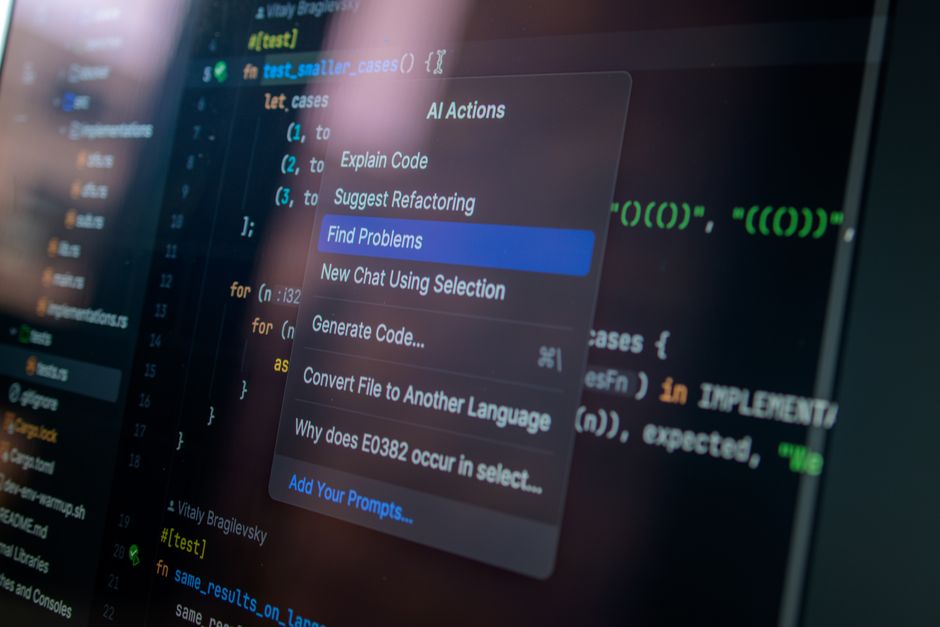
Code generation and coding agents handle the boilerplate and the debugging. AI pair programmers and agentic coding tools can scaffold a component, write the repetitive parts of a form or an API call, and explain why a bug is happening when you paste in the stack trace. A broad look at the category, covering tools like GitHub Copilot, Tabnine, and Devin AI, shows how much of this space is now agentic rather than purely autocomplete: the tool can take a multi-step task and run with it rather than just suggesting the next line.
Design and UI generation tools turn a prompt or a rough sketch into a usable layout, color system, or component set. They're a genuine time-saver for getting from blank canvas to a first draft you can react to. Tools in this space, like the AI-driven builders and UI generators covered alongside coding assistants in the same web development roundups, are worth a look specifically for that first-draft speed.
Content and copy assistance is best treated as exactly what it is: a first-draft machine, not a publisher. It drafts, rewrites, and summarizes faster than you can type, and it will also confidently get things wrong. Keep your own editorial judgment between the draft and the publish button.
Image and asset generation on free tiers is genuinely useful for placeholder graphics, icons, and hero images while a site is still being built. Just don't assume what's fine for a placeholder is automatically fine for a published, monetized page.
What is AI search optimization, and what else do people call it?
AI search optimization means structuring and writing your site so that AI answer engines like Google's AI Overviews, ChatGPT, and Perplexity can understand, trust, and cite it. It's the practice of making your content legible to a model generating an answer, not just to a crawler building a ranked list of links.
You'll see the same practice wearing different names depending on who's writing about it. Some call it generative engine optimization (GEO). Others call it AI engine optimization (AEO). Plenty of writers skip the jargon entirely and just say "optimizing for AI Overviews." The terms overlap far more than they differ, and chasing the "correct" label is a waste of your attention.
Here's the part worth sitting with: this isn't a replacement for SEO. It's SEO's fundamentals (clear structure, real expertise, crawlable pages) applied with a new reader in mind. The reader just happens to be a language model instead of only a ranking algorithm.
Google itself has been fairly direct that there's no separate secret algorithm running behind AI Overviews that rewards a different set of tricks. The practices that earn traditional rankings largely overlap with what gets a page cited in an AI answer. If you've been doing honest, structured SEO work, you're already most of the way there. If you've been gaming thin content into rankings, that approach was already running out of road.
Building AI-findable from day one, even with free tools
A site built entirely with free AI tools can be just as findable as one built by a full agency team, but only if you bake findability in from the start instead of bolting it on after launch. The tools that generate your code or copy won't do this part for you automatically.
Schema markup belongs in your templates from the first build, not as a retrofit. Most AI-generated site builders won't add structured data for you by default, which means a human needs to decide what schema fits the page type and implement it deliberately.
Crawler policy deserves the same early attention. Once your site has enough content worth surfacing to AI crawlers and agents, consider adding an llms.txt file alongside your existing robots.txt. It's a small file with an outsized signal: it tells AI systems what you'd like them to prioritize.
Write for the skimmer first. Answer a specific question plainly near the top of the page, before you get into nuance and caveats. That habit helps a human scanning on their phone and an AI summarizer pulling a snippet for exactly the same reason: both are looking for the clearest possible answer, fast.
Never let AI-drafted content go live unedited. An editorial pass for accuracy and your own voice, one of the few AI-assisted publishing techniques most writers actually agree on, is what separates a page worth citing from one that reads like every other AI-generated page on the internet. That pass is also, not coincidentally, what keeps you from publishing something quietly wrong.
| Category | Good for | Typical catch |
|---|---|---|
| Coding agents / AI pair programmers | Scaffolding components, writing boilerplate, explaining bugs | Free tier usually caps requests or context size |
| AI design/UI generators | Fast first-draft layouts and component sets | Output often needs manual cleanup to match brand |
| AI content/copy assistants | First drafts, summaries, outline generation | Needs a human editorial pass before publishing |
| AI image/asset generators | Placeholder graphics, icons, hero images | Commercial use rights vary by plan and vendor |
| Self-hosted / open source AI tools | Long-term free use with no vendor pricing risk | Requires more setup and your own compute |
Where free AI tools hit their limits
Free AI tools tend to fail you at the worst possible moment: right when a project starts to actually matter. That's not bad luck. It's the business model. Capacity caps exist to convert your most promising projects into paying ones.
A few patterns show up often enough to plan around:
- Free tiers throttle requests or context size exactly as traffic or scope grows, which means the limit you never noticed during prototyping suddenly becomes the bottleneck on launch week.
- AI-generated code and AI-generated copy both need a human review gate before anything goes live. Code needs a security and accessibility check. Copy needs an accuracy and voice check. Skipping either is how small shortcuts become real problems after launch.
- Free design and image tools often restrict commercial use or require attribution on their free tier. Check the licensing terms before you put an AI-generated hero image on a site that makes money, because "free to use" and "free to use commercially" are not the same sentence.
A hobby blogger might reasonably prototype a new layout with a free-tier AI design tool, then hand-code the final templates to keep full control over schema markup. A solo agency might use a free coding agent to scaffold a client's component library, then run its own manual security and accessibility review before anything ships. A domain investor might spin up a placeholder site for a parked domain using free AI-generated copy and images, with a human edit pass before anything evergreen goes live.
None of that is a compromise. It's just how the free tier is meant to be used.
The bottom line
Free AI tools can absolutely get a site built, but a fast build and a findable build are two different projects. Treat the tools as a head start on production, not a substitute for the schema, structure, and editorial judgment that decide whether anyone, human or AI, ever finds what you made.
Frequently Asked Questions
Is AI search optimization the same thing as SEO?
Not exactly, but they're close cousins. SEO has always been about structure, relevance, and trust signals, and AI search optimization applies those same instincts to a new reader: a language model generating an answer instead of a ranking algorithm.
What is AI search optimization also known as?
You'll most often see it called generative engine optimization (GEO) or AI engine optimization (AEO). Some writers just describe it as "optimizing for AI Overviews" or "getting cited by ChatGPT," which is really the same goal in plainer language.
Can I build a whole website using only free AI tools?
You can get surprisingly far with free tiers for prototyping, drafting, and basic design, especially for a personal site or an early-stage project. For anything client-facing or revenue-generating, plan to pay for at least one tool once you outgrow the free cap.
Do free AI tools hurt my chances of getting cited in AI answers?
The tool you used to build the page doesn't matter to an AI answer engine; what matters is whether the finished page is clear, accurate, well-structured, and genuinely useful. A free-tool site with good schema and a tight editorial pass can outperform an expensive build that skipped both.
Should I add an llms.txt file to a small personal site?
It's optional at small scale and more useful once your site has enough substantial content that you'd want AI crawlers to understand what to prioritize. It's a low-cost addition, so there's little downside to adding one early if you're already thinking about crawler policy.